Notion
Notion has the benefit of providing us with a user friendly way to create different mark down elements, including titles, subtitles, code snippets.
Notion is a great way to create markdowns, as it provides a solid user experience
Export Markdown file from Notion
Once you are done, writing your documentation in Notion, you can go ahead and export it as a Markdown file.
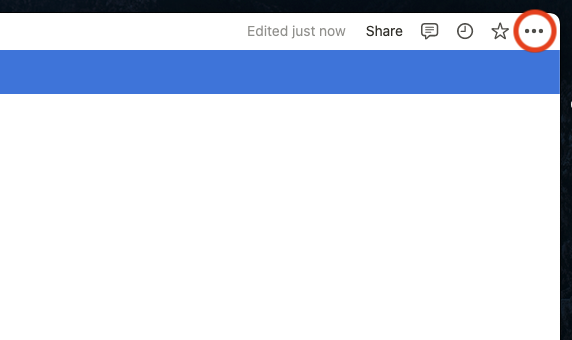
Click the three dots in the top right corner of the notion page you want to export
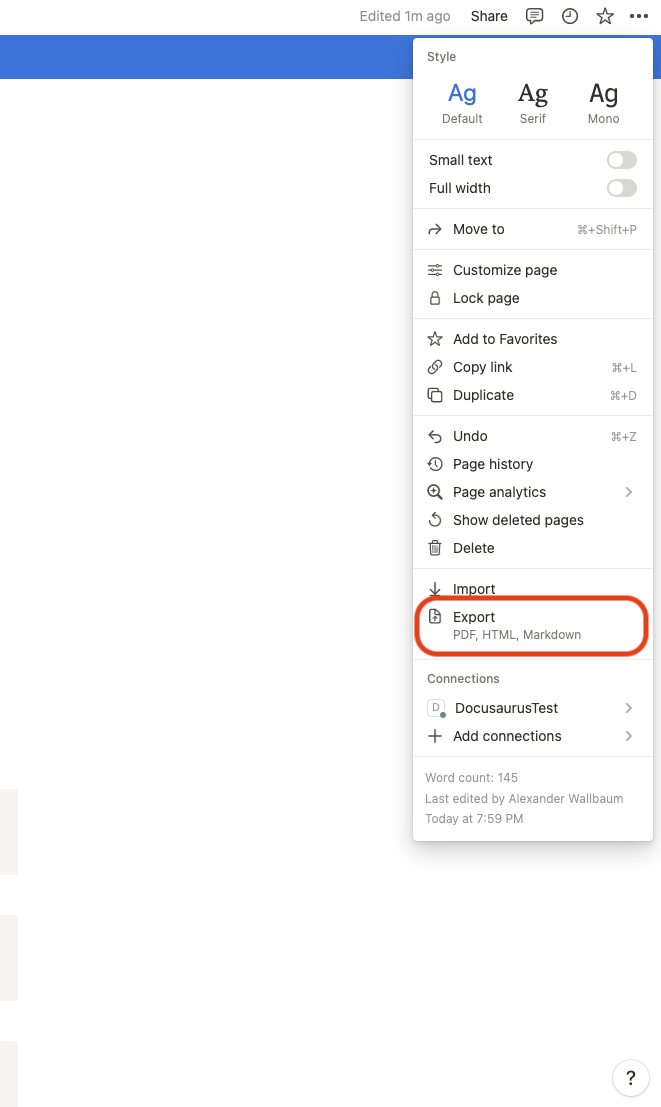
Select Export
Make sure you have the right settings selected and click the export button
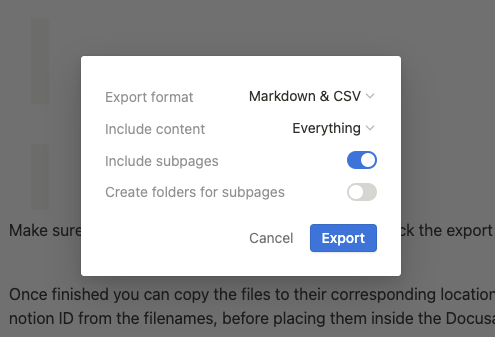
Once finished you can copy the files to their corresponding location. It is adviced to remove the notion ID from the filenames, before placing them inside the Docusaurus project.
!Links
Links should work when exporting all files at once. When only exporting one page without it's suppages, links require some special attention and do not work after exporting. We have to go into the .md files that include links and change them manually.
Links to other pages should follow the following syntax.
[<DisplyedName>](<Link>)
This is what Notion outputs by default
[Notion](https://www.notion.so/Notion-0e70899037eb4e738030bda611ca0c88)
This is what we want to change it to
[Notion](Notion.md)